
HP LaserJet P4010 and P4510 Series - Software Technical Reference
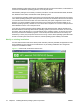

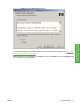
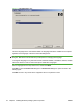

Figure 3-4 Software License Agreement dialog box
To cancel the installation, click Cancel on this or any other screen where it appears (see Help, Back,
Next, and Cancel buttons on page 92).
Read the software license agreement, click I agree, and then click Next to open the Language dialog
box, as shown in the following figure.
ENWW Install Overview 77
Install Windows printing-
system components