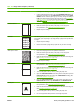
3. If the paper is jammed at the top of the 5-bin mailbox, pull it straight down to remove it.
4. If the paper is jammed at the bottom of the 5-bin mailbox, open the rear output bin, and then pull
straight up on the paper to remove it.
5. Close the jam-access door and the rear output bin.
ENWW Jams 179