
Cisco Gigabit Ethernet Switch Module for HP BladeSystem p-Class Command Reference Guide


2-527
Cisco Gigabit Ethernet Switch Module for the HP p-Class Blade System Command Reference Guide
380265-003
Chapter 2 CGESM Switch Cisco IOS Commands
switchport backup interface
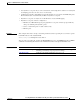
• A backup link does not have to be the same type (Fast Ethernet or Gigabit Ethernet, for instance) as
the active link. However, you should configure both Flex Links with similar characteristics so that
there are no loops or changes in behavior if the standby link begins to forward traffic.
• Neither of the links can be a port that belongs to an EtherChannel. However, you can configure two
port channels (EtherChannel logical interfaces) as Flex Links, and you can configure a port channel
and a physical interface as Flex Links, with either the port channel or the physical interface as the
active link.
• If STP is configured on the switch, Flex Links do not participate in STP in all valid VLANs. If STP
is not running, be sure that there are no loops in the configured topology.
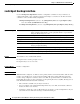
Examples This example shows how to configure two interfaces as Flex Links:
Switch# configure terminal
Switch(conf)# interface fastethernet0/1
Switch(conf-if)# switchport backup interface fastethernet0/2
Switch(conf-if)# end
This example shows how to configure the Fast Ethernet interface to always preempt the backup:
Switch# configure terminal
Switch(conf)# interface fastethernet0/1
Switch(conf-if)# switchport backup interface fastethernet0/2 preemption forced
Switch(conf-if)# end
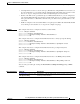
This example shows how to configure the Fast Ethernet interface preemption delay time:
Switch# configure terminal
Switch(conf)# interface fastethernet0/1
Switch(conf-if)# switchport backup interface fastethernet0/2 preemption delay 150
Switch(conf-if)# end
This example shows how to configure the Fast Ethernet interface as the MMU primary VLAN:
Switch# configure terminal
Switch(conf)# interface fastethernet0/1
Switch(conf-if)# switchport backup interface fastethernet0/2 mmu primary vlan 1021
Switch(conf-if)# end
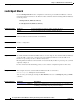
You can verify your setting by entering the show interfaces switchport backup privileged EXEC
command.
Related Commands Command Description
show interfaces [interface-id]
switchport backup
Displays the configured Flex Links and their status on the switch or
for the specified interface.