
Cisco Gigabit Ethernet Switch Module for HP BladeSystem p-Class Command Reference Guide


A-2
Cisco Gigabit Ethernet Switch Module for HP BladeSystem p-Class Command Reference Guide
380265-003
Appendix A CGESM Switch Bootloader Commands
boot
boot
Use the boot bootloader command to load and boot an executable image and to enter the command-line
interface.
boot [-post | -n | -p | flag] filesystem:/file-url ...
Syntax Description
Defaults The switch attempts to automatically boot the system by using information in the BOOT environment
variable. If this variable is not set, the switch attempts to load and execute the first executable image it
can by performing a recursive, depth-first search throughout the flash file system. In a depth-first search
of a directory, each encountered subdirectory is completely searched before continuing the search in the
original directory.
Command Modes Bootloader
Command History
Usage Guidelines When you enter the boot command without any arguments, the switch attempts to automatically boot
the system by using the information in the BOOT environment variable, if any. If you supply an image
name for the file-url variable, the boot command attempts to boot the specified image.
When you set bootloader boot command options, they are executed immediately and apply only to the
current bootloader session. These settings are not saved for the next boot operation.
Filenames and directory names are case sensitive.
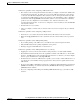
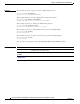
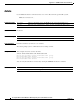
Examples This example shows how to boot the switch using the new-image.bin image:
switch: boot flash:/new-images/new-image.bin
After entering this command, you are prompted to start the setup program.
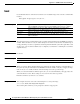
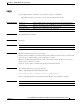
-post (Optional) Run the loaded image with an extended or comprehensive power-on
self-test (POST). Using this keyword causes POST to take longer to complete.
-n (Optional) Pause for the Cisco IOS debugger immediately after launching.
-p (Optional) Pause for the JTAG debugger right after loading the image.
filesystem: Alias for a flash file system. Use flash: for the system board flash device.
/file-url (Optional) Path (directory) and name of a bootable image. Separate image names
with a semicolon.
Release Modification
12.2(25)SE1 This command was introduced.