
Cisco Gigabit Ethernet Switch Module for HP BladeSystem p-Class Command Reference Guide

A-23
Cisco Gigabit Ethernet Switch Module for HP BladeSystem p-Class Command Reference Guide
380265-003
Appendix A CGESM Switch Bootloader Commands
type
type
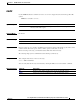
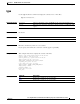
Use the type bootloader command to display the contents of one or more files.
type filesystem:/file-url ...
Syntax Description
Command Modes Bootloader
Command History
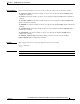
Usage Guidelines Filenames and directory names are case sensitive.
If you specify a list of files, the contents of each file appears sequentially.
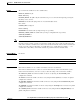
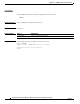
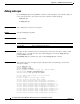
Examples This example shows how to display the contents of two files:
switch: type flash:cgesm-i6l2-mz.122-25.SE/info
version_suffix: i6l2-122-25.SE
version_directory: cgesm-i6l2-mz.122-25.SE
image_system_type_id: 0x00000000
image_name: cgesm-i6l2-mz.122-25.SE.bin
ios_image_file_size: 4391936
total_image_file_size: 5906944
image_feature: LAYER_2|MIN_DRAM_MEG=32
image_family: CGESM
stacking_number: 1.7
board_ids: 0x00000021
info_end:
Related Commandsi
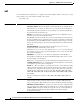
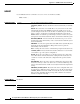
filesystem: Alias for a flash file system. Use flash: for the system board flash device.
/file-url Path (directory) and name of the files to display. Separate each filename with
a space.
Release Modification
12.2(25)SE1 This command was introduced.
Command Description
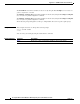
cat Displays the contents of one or more files.
more Displays the contents of one or more files.