
Cisco Gigabit Ethernet Switch Module for HP BladeSystem p-Class Hardware Installation Guide

Switch Installation
Installing the Switch and SFP Modules
This section describes how to:
•
•
•
•
•
•
•
•
Install a new switch
Install SFP modules
Installation Guidelines
Observe the following guidelines during installation:
For optimal performance, it is required that the switches be installed in the server blade
enclosure in pairs. Each server blade enclosure requires two switches for proper
connectivity. Both switches are identical. They get their identities (Switch A or Switch B)
from the server blade enclosure slots they are plugged into.
Always install the switches into the interconnect bays, which are the left-most (side A)
and right-most (side B) bays on the front side of the server blade enclosure.
Make sure that the SFP module is fully pushed in.
IMPORTANT: Record the switch MAC address printed on the MAC address label attached to your
switch. The MAC address can be used to find the IP address from a DHCP server. For more
information on how to use the MAC address, refer to the “MAC Address” section in Chapter 1.
Confirm that the operating environment is within the ranges listed in Appendix B,
“Technical Specifications”.
Make sure that cabling is away from sources of electrical noise, such as radios, power
lines, and fluorescent lighting fixtures. Also make sure the cabling is safely away from
other devices that might damage the cables.
Follow the cabling guidelines below:
— For ports, using 10/100/1000BASE-T SFP module connections, cable lengths from
the switch to connected devices are up to 328 feet (100 meters).
— For 1000BASE-SX, fiber-optic SFP module connections, each port must match the
wavelength specifications on the other end of the cable, and the cable must not
exceed the stipulated cable length for reliable communications.
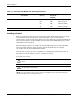
Table 2-1 lists the cable specifications for 1000BASE-SX and 10/100/1000BASE-T SFP
module connections.
Cisco Gigabit Ethernet Switch Module for HP BladeSystem p-Class Hardware Installation Guide 2-3