
DesignJet T900 and T1500 Printer Series - User guide


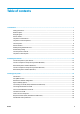


Table of contents
1 Introduction .................................................................................................................................................. 1
Safety precautions ................................................................................................................................................. 2
HP Start-Up Kit ....................................................................................................................................................... 3
Using this guide ...................................................................................................................................................... 3
Printer models ....................................................................................................................................................... 4
The printer’s main features ................................................................................................................................... 5
The printer’s main components ............................................................................................................................. 6
The front panel ...................................................................................................................................................... 8
Printer software ................................................................................................................................................... 10
Mobile printing and Web Services ....................................................................................................................... 11
Enable email printing ........................................................................................................................................... 11
Turn the printer on and o .................................................................................................................................. 12
The printer’s internal prints ................................................................................................................................. 12
2 Installing the software ................................................................................................................................. 14
Connect the printer to your network ................................................................................................................... 15
Connect a computer to the printer by network (Windows) ................................................................................. 16
Uninstall the printer software (Windows) ........................................................................................................... 17
Connect a computer to the printer by network (Mac OS X) ................................................................................. 17
Uninstall the printer software (Mac OS X) ........................................................................................................... 18
3 Setting up the printer .................................................................................................................................. 19
Introduction ......................................................................................................................................................... 20
Set up Web Services ............................................................................................................................................. 20
Web Services manual conguration .................................................................................................................... 20
Paper suitability options ..................................................................................................................................... 22
Turn nesting on and o (T930, T930 PS and T1500 Series) ............................................................................... 22
Turn usage information on and o ...................................................................................................................... 23
Turn e-mail notications on and o .................................................................................................................... 24
Turn alerts on and o .......................................................................................................................................... 24
Control access to the printer ............................................................................................................................... 25
Require account ID (T930, T930 PS and T1500 series) ....................................................................................... 26
Set Windows driver preferences .......................................................................................................................... 26
ENWW iii