
HP Designjet T2300 eMFP and T790/T1300 ePrinter Series - Web Connected Features User Guide
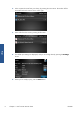


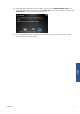

10. After adding one document to the scan queue, you can press the Make another scan icon to
scan another document. Alternatively, press the Sign out icon to return to the home screen, or the
Scan queue icon to go to the scan job queue.
11. The scanned document will be available in a Scanned event in your Library, and you can later
print it or share it with other people.
ENWW 11
Scan