
HP DesignJet T790 and T1300 Printer Series - Using your printer




Lines print double or in the wrong colors
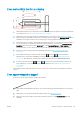
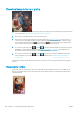
This problem can have various visible symptoms:
●
Colored lines are printed double, in dierent colors.
●
The borders of colored blocks are wrongly colored.
To correct this kind of problem:
1. Reseat the printheads by removing them and then reinserting them. See Remove a printhead on page 109
and Insert a printhead on page 112.
2. Align the printheads. See Align the printheads on page 159.
Lines are discontinuous
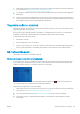
If your lines are broken in the following way:
1. Check that you are using appropriate print-quality settings. See Printing on page 46.
2. Reseat the printheads by removing them and then reinserting them. See Remove a printhead on page 109
and Insert a printhead on page 112.
3. Align the printheads. See Align the printheads on page 159.
144 Chapter 17 Troubleshooting print-quality issues ENWW