
HP DesignJet T790 and T1300 Printer Series - Using your printer
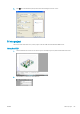
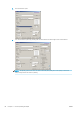

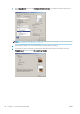
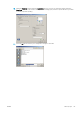
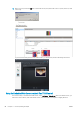
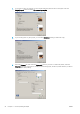

Press the Add les button (or Choose File, Add another le) to choose the les from your computer that you want
to print. The les must be in one of the following formats:
●
PDF (PostScript printers only)
●
PostScript (PostScript printers only)
●
TIFF (PostScript printers only)
●
JPEG (PostScript printers only)
●
HP-GL/2
●
RTL
NOTE: When you print to a le, the le should be in one of the above formats, but its name may have an
extension such as .plt or .prn.
If the les are not in one of these formats, they will not be printed successfully.
If the jobs have been generated with the appropriate settings (such as page size, rotation, resizing and number
of copies), you can just press the Print button and the project will be sent to the printer.
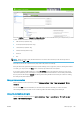
If you need to specify printing settings, go to the Job settings section and select the options you need. Each
option has explanatory text on the right, so that you can understand the behavior of each setting. Remember
that, if you leave the setting as Default, the setting saved in the job will be used. If the job contains no setting,
the setting in the printer will be used.
Using printer emulation
Printer emulation can be requested by selecting Advanced settings > Color > Color management > Printer
emulation.
You can select O (no printer emulation) or the name of the printer model that you want to emulate.
This setting will apply to jobs that do not contain any printer emulation setting saved in the job.
Using clip contents by margins
You can select this margins option from Advanced settings > Paper > Layout/Margins > Print with margins >
Layout > Clip contents by margins.
ENWW Print a project 89