
HP DesignJet T790 and T1300 Printer Series - Using your printer
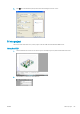

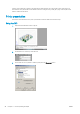
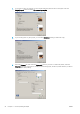

4. Select the Device and Document Settings tab, and press the Custom Properties button.
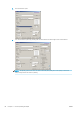
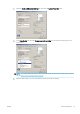
5. In the Paper/Quality tab, check the Show preview before printing box, and select the paper type that you
intend to use.
NOTE: If you select neither the paper source nor the paper type, the printer will not print on any protected
roll (see Roll protection (T1300 series) on page 59).
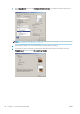
6. Select the print quality (your own choice between speed and quality of printing).
ENWW Print a presentation 91