
HP ENVY 15 Notebook PC and HP ENVY TouchSmart 15 Notebook PC Maintenance and Service Guide
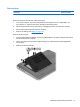

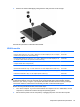


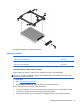


Reverse this procedure to install the hard drive.
Memory module
Description Spare part number
8 GB (PC3L, 12800, 1600 MHz) 693374-001
4 GB (PC3L, 12800, 1600 MHz) 691740-001
2 GB (PC3L, 12800, 1600 MHz) 691739-001
Update BIOS before adding memory modules
Before adding new memory, make sure you update the computer to the latest BIOS.
CAUTION: Failure to update the computer to the latest BIOS prior to installing new memory may
result in various system problems.
To update BIOS:
1. Go to
http://www.hp.com/support.
2. Select Drivers & Dowloads, and then follow the on-screen instructions.
Before removing a memory module, follow these steps:
1. Turn off the computer. If you are unsure whether the computer is off or in Hibernation, turn the
computer on, and then shut it down through the operating system.
2. Disconnect the power from the computer by unplugging the power cord from the computer.
Component replacement procedures 47