HP ENVY 15 Notebook PC and HP ENVY TouchSmart 15 Notebook PC - Maintenance and Service Guide
Manuals
Brands
HP Manuals
Desktops
HP ENVY 15t-j100 Quad Edition CTO Notebook PC (ENERGY STAR)
91
92
93
94
95
96
97
98
99
100
6.
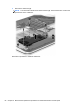
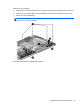
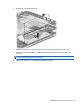
Slide the TouchPad
(5)
toward
the back of the top cover, an
d then lift the TouchP
ad straight up
and remove it.
Reverse this procedure to insta
ll the TouchPad.
90
Chapter 6 Remova
l and replacement
proced
ures for Authorized Service Pro
vider parts
1
...
...
98
99
100
101
102
...
...
131