
Other Content




If you can’t connect a wireless printer to your network, use the printer’s wireless direct connection to
print. For more information on wireless direct printing, see Wi-Fi Direct or HP wireless direct.
Update the printer firmware
HP regularly releases printer updates. Updating the printer firmware might resolve the issue. For more
information, see Updating Firmware on the Printer.
Reinstall the printer software
Uninstall and reinstall the printing software to try resolving any errors that may have occurred during
the original installation.
1. Disconnect the USB cable if a USB cable is attached.
2. Search Windows for programs and features, and then click Programs and Features in the list of
results.
3. Find the HP printer software in the list and uninstall it.
4. Restart the computer.
5. Reinstall the HP printer software. You can install the software from the installation disc that came
with your printer or download from 123.hp.com or Software and Drivers.
6. Try printing again.
NOTE:
If you are using HP full feature software and the problem continues, a compatibility problem
might exist. Try installing the basic driver from HP (if available) or using a compatible driver that
comes with Windows (in-OS solution).
Find Your Wireless WEP, WPA, WPA2 Password
A wireless network password is often required to connect a computer, phone, wireless printer, or other
type of wireless device to your wireless network.
NOTE:
A WPS PIN for your printer is a temporary security code and is not your normal wireless password. For
more information, see Enter WPS PIN Prompt When Adding a Printer (Windows 10).
Find the password on the router
When you subscribe to an Internet service, your Internet Service Provider (ISP) provides you with a
network password. Look for this password on your wireless router or in the original paperwork that
came from your ISP. The password might be labeled Wireless Key, security password, WPA2 password,
WEP key, or similar.
If you are unable to find your password, contact your ISP for assistance.
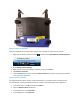
A router with the network password on a label