User Guide
Manuals
Brands
HP Manuals
Office Electronics
HP OfficeJet Pro 7740 Wide Format All-in-One Printer with Wireless & Mobile Printing (G5J38A)
121
122
123
124
125
126
127
128
129
130
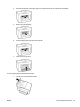
2.
Pull any jammed paper o
ut of the rol
lers.
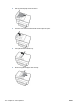
3.
Close the c
over o
f the document feeder until it snaps int
o spac
e.
4.
Lift up the document feeder tray.
5.
Remov
e any jammed paper under the tray.
112
Chapter 10 Sol
ve a pr
oblem
ENW
W
1
...
...
123
124
125
126
127
...
...
176