
HP 517 802.11ac Unified Walljack Configuration Guide v6.4.0


3 Configuring the switch ports
This chapter explains how to configure the switch ports using the management tool on a controller.
This section assumes that you are familiar with the operation of the MSM7xx management tool. If
not, see the MSM7xx Controllers Configuration Guide.
NOTE: Wired devices connected to the switch ports cannot communicate with wireless devices
connected to the same HP 517.
Important note regarding controller teaming
When working with a controller team, the selections that you make in the Network Tree are different
from selections on non-teamed controllers. The instructions in this guide are written for working
with non-teamed controllers. If you are working with a controller team, you need to adjust instructions
that refer to the Network Tree as follows: Instead of selecting Controller in the Network Tree, select
Team [team-name], where [team-name] is the name assigned to the team. For example, the
following menu-selection sequence on a non-teamed controller:
Controller > Controlled APs >> Configuration > Switch ports
becomes:
Team [team-name] > Controlled APs >> Configuration > Switch ports
on a controller team. See also, Controller Teaming in the MSM7xx Controllers Configuration Guide.
Switch ports page
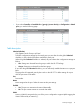
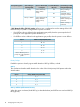
This page lists all supported ports on the HP 517 switch, indicates if the ports are enabled, and
lists their VLAN number (if assigned). To define settings for a port, select the port name in the list.
This opens the Port configuration page described in the next section.
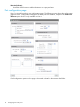
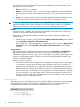
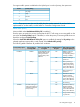
The Switch port page presents different options depending on how you open it.
• If you select Controller > Controlled APs >> Configuration > Switch ports > HP 517, you see
the following page:
nl
• If you select Controller > Controlled APs > [group] >> Configuration > Switch ports, you see
the following page:
12 Configuring the switch ports