
HP 517 802.11ac Unified Walljack Configuration Guide v6.4.0


nl
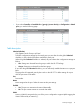
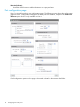
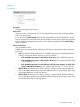
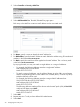
• If you select Controller > Controlled APs > [group] > [access-device] >> Configuration > Switch
ports, you see the following page:
nl
Table description
Inherited (title bar)
Only appears at the Group or AP level.
To define configuration settings for the switch ports you must first clear the global Inherited
checkbox, or the individual checkbox available for each port.
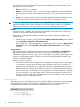
When the global Inherited checkbox is selected, all ports inherit their configuration settings as
follows:
• APs: Settings are inherited from the group to which the HP 517 belongs.
• Groups: Settings are inherited from the base group.
If you clear the global Inherited checkbox, you can selectively enable inheritance on a per-port
basis.
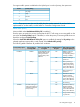
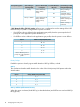
This page lists all supported ports by the switch on the HP 517. To define settings for a port
click the port name in the table.
Port
Port number.
Name
Name assigned to the port. Select the name to edit port settings.
Enabled
• Yes: The port can transmit and received data traffic.
• No: The port cannot transmit or received data traffic.
VLAN
Lists any VLAN IDs assigned to the port. If the port is configured to support Uplink tagging the
VLAN is followed by an asterisk (*).
Switch ports page 13