
HP 517 802.11ac Unified Walljack Configuration Guide v6.4.0

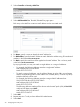

The PoE LED on the front on the HP 517 provides visual feedback on the status of the power
forwarding on port 4 as follows:
• Off: No PoE device is connected.
• Amber: On indicates that Class 1 or 2 power is being supplied to the device attached to
port 4. Blinking indicates a fault condition while Class 1 or 2 PoE is configured on port
4.
• Green: On indicates that Class 3 power is being supplied to the device attached to port
4. Blinking indicates a fault condition while Class 3 PoE is configured on port 4.
CAUTION: If the HP 517 is powered by a user-supplied PoE power injector, use only a
gigabit-compatible power injector. Although 10/100 PoE-enabled switches are compatible,
PoE injectors designed for 10/100 networks only are not compatible with the HP 517.
Isolation
When this option is enabled, the port only forwards traffic to the Uplink port, and does not
forward or receive traffic from any other switch port.
Port isolation is automatically in effect, and does not need to be explicitly enabled in the
following cases:
• When the port is bound to a VSC which has the Always tunnel client traffic option enabled
under Controller > Virtual AP > Client data tunnel.
• When the HP 517 is being managed by a controller team. (In this case the Always tunnel
client traffic option under Controller > Virtual AP > Client data tunnel is automatically
enabled.
Loop protection
The controller provides support for the spanning tree protocol (Controller >> Configuration >
STP page) to prevent undesirable loops from occurring in the network that may result in
decreased throughput. However, when a port is connected to client devices at the edge of the
network or unmanaged switches, STP does not work and should be disabled. Instead, loop
protection should be enabled.
When to use loop protection:
• When 802.1X and/or MAC authentication is enabled on a switch port and a client device
is connected to the port. (Network loops may go undetected by STP. For example, STP
packets that are looped back to an edge port will not be processed because they have a
different broadcast/multicast MAC address from the user's authenticated MAC address.)
• When a switch port is connected to an unmanaged device. STP cannot detect the formation
of loops when there is an unmanaged device on the network that does not process STP
packets and simply drops them. Loop protection has no such limitation, and can be used
to prevent loops on unmanaged switches.
Quality of service
The quality of service (QoS) feature provides a number of different mechanisms to prioritize traffic
from the switch ports when it is forwarded on the Uplink port. This is useful when the HP 517
handles traffic from multiple devices that have different data flow requirements.
16 Configuring the switch ports