
HP 517 802.11ac Unified Walljack Configuration Guide v6.4.0



4 Viewing status information
The MSM7xx management tool provides a number of pages where you can view HP 517 status
information.
Dashboard
The dashboard provides a wide variety of information about the operation of the wireless network.
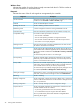
This section presents some of the pages you can use to view information about the HP 517. For a
description of all dashboard pages, see the MSM7xx Controllers Configuration Guide.
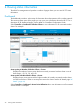
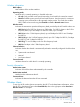
Select Controller >> Dashboard > Wireless Clients to view information on all connected wireless
clients. For example:
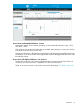
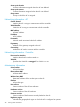
Access points per Number of Wireless Clients - Current
Displays the number of access points that have currently connected wireless clients in one of
three ranges: <10, 10 - 50, and >50.
Access points with Most Wireless Clients - Current
Displays the ten access points with the highest number of currently connected wireless clients
over the last 24 hours. Select an access point name in the chart to see the AP details page “AP
details” (page 44).
nl
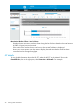
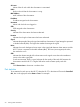
Select Controller >> Dashboard > Access Points Utilization tab to view information on all connected
wireless clients. For example:
42 Viewing status information