
HP 517 802.11ac Unified Walljack Configuration Guide v6.4.0



Most Active Wireless Clients - Last 24 Hours
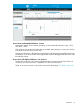
Displays the ten most active wireless clients during the last 24 hours based on the total amount
of traffic (in bytes) sent and received.
If the name of the wireless client is not known, then its MAC address is displayed.
Hover your mouse pointer over the name to display the total time that the client has been
connected and its average throughput.
AP details
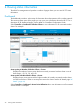
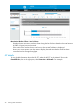
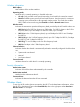
To view global information about the HP 517, select the HP 517 in the Network Tree under
Controlled APs, then in the right pane, select Overview > AP details. For example:
nl
44 Viewing status information