
HP 517 802.11ac Unified Walljack Configuration Guide v6.4.0



Wireless information
MAC address
MAC address of the wireless interface.
Operating mode
Mode the AP is currently operating in. Possible values are:
• AP only: Only provides access point functionality, local mesh links cannot be created.
• Monitor: Disables access point and local mesh functions. Use this option for continuous
scanning across all channels in all supported wireless modes. This mode also enables
802.11 traffic to be traced using the Controller >> Tools > Network trace feature.
Wireless mode
Indicates the transmission speed and frequency band provided by the AP. Possible values are:
• 802.11ac/n/a: For 802.11ac clients up to 1300 Mbps. For 802.11n clients in the 5 GHz
frequency band, up to 450 Mbps. For 802.11a clients, up to 54 Mbps.
• 802.11n/a: In the 5 GHz frequency band, up to 450 Mbps for 802.11n and 54 Mbps
for 802.11a.
• 802.11n/b/g: In the 2.4 GHz frequency band, up to 216.7 Mbps for 802.11n, 54 Mbps
for 802.11g, and 11 Mbps for 802.11b.
• 802.11b/g: 11 and 54 Mbps in the 2.4 GHz frequency band.
• 802.11a: 54 Mbps in the 5 GHz frequency band.
Channel selection
Indicates whether the channel is automatically selected or manually configured. Possible values
are:
• System-wide auto-channel
• Manual
• Local auto-channel
Current channel
Wireless channel on which the AP is currently operating.
Security information
Authorization status
Indicates if the AP has been authenticated by the controller.
Authorization method
Method used to authenticate the AP.
Connected since
Indicates the date and time the AP last connected.
Wireless clients
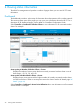
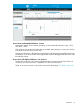
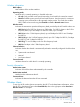
To see a list of all wireless clients connected to the HP 517 and related status information, select
the HP 517 in the Network Tree under Controlled APs, then in the right pane select Overview >
Wireless clients. For example:
nl
Wireless clients 49