
MSM7xx Controllers Release Notes v6.4.0.0


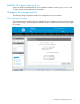
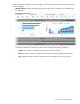
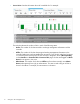
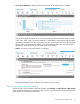
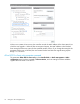

NOTE: Due to a problem with AP channel use validation, a banner similar to this may appear at
the top of the Home screen: AP CNxxxxxxxx, Radio 1 channel configuration has been
set to autochannel because the previously configured channel is not
supported by this version of software. The same message is added to the system log.
These messages can be safely ignored.
Software configuration change may be required prior to upgrade
If the MSM7xx Controller is configured with the NAT feature enabled (default setting) and with the
Extend VSC egress subnet to VSC ingress subnet feature enabled (disabled by default), the MSM
software v6.4.x, v6.3.x, or v6.2.x will disable the NAT feature. HP recommends that you review your
existing settings and disable one of these features before upgrading to v6.4.x, v6.3.x or v6.2.x.
Updating software
Update the controller software as described in the “Software updates” section of the MSM7xx Controllers
Configuration Guide. After the controller update is complete, it automatically updates all of its controlled
devices to the same software version.
Downgrading software
If you upgrade to version 6.4.0.0 and then wish to return to the version that you had been running
prior to upgrading, the configuration that you used originally with that version will still be available.
If you have made configuration changes while using version 6.4.0.0, those changes will not be present
when you downgrade to the previous version.
If you factory reset your device after upgrading to version 6.4.0.0, your previous configurations will
be lost, and when you downgrade to any previous version you will be in a factory reset state.
MSM management tool requires web browser with SSLv3 support
NOTE: A web browser that supports SSLv3 is mandatory for running the MSM web-based management
tool. SSLv3 is supported by Microsoft Internet Explorer 7 and 8 but must be enabled. Microsoft Internet
Explorer 9 and later uses SSLv3 only. Mozilla Firefox also supports SSLv3 but support may need to
be enabled or you may need to update to a more recent version.
HP 517 802.11ac Unified Walljack support
Support for the HP 517 802.11ac Unified Walljack is added in this release. The HP 517 operates
only in controlled mode. It is supported by these controllers: MSM720, MSM760, MSM765 zl, and
MSM775 zl.
For more information, see the following documents, available online:
• HP 517 802.11ac Unified Walljack Quickstart
• HP 517 802.11ac Unified Walljack Installation Guide
• HP 517 802.11ac Unified Walljack Configuration Guide
MSM710 Controller support stops at v6.0.x
Support for the discontinued MSM710 Controller is available in software versions prior to v6.2.x. As
of v6.2.0.0, support for the MSM710 is dropped.
Note: The HP 425 and HP 517 are not supported by the MSM710 Controller.
4 Software configuration change may be required prior to upgrade