
Advanced Traffic Management Guide K/KA/KB.15.15
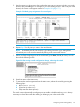



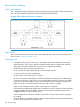


5. Use the up-arrow or down-arrow key to select the next port you want to include in your mesh
domain, then press M again. For example, if you were adding ports A1 and A2 to your mesh
domain, the screen would appear similar to Example 130 (page 171):
Example 130 Mesh group assignments for several ports
6. Repeat Step 5 for all ports you want in the mesh domain.
NOTE: As meshed ports do not accept a Type setting, leave the Type setting blank.
All meshed ports in the switch automatically belong to the same mesh domain.
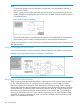
7. When you finish assigning ports to the switch mesh, press Enter, then S (for Save). You will
then see the following screen.
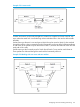
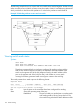
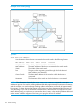
Figure 26 After saving a mesh configuration change, rebooting the switch
8. Press 0 to return to the Main menu.
9. To activate the mesh assignments from the Main menu, reboot the switch by pressing the
following keys:
a. 6 (for Reboot Switch)
b. Space bar (to select Yes).
c. 13 (to start the reboot process).
The switch cannot dynamically reconfigure ports to enable or disable meshing, so it is always
necessary to reboot the switch after adding or deleting a port in the switch mesh.
Configuring switch meshing (Menu) 171