
Advanced Traffic Management Guide K/KA/KB.15.15
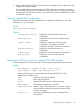
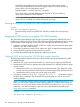
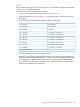
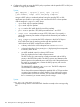
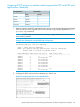
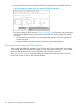
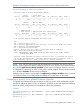
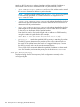


3. Assign the DSCP policies to the selected TCP/UDP port applications and display the result.
Figure 33 Configuring a DSCP policy for global TCP/UDP port classifiers
The switch applies the DSCP policies in Figure 33 (page 196) to IP packets with the specified
TCP/UDP port applications that are received in the switch. The switch manages the packets
as follows:
1. Overwrites the original DSCPs in the selected packets with the new DSCPs specified in
the above policies.
2. Assigns the 802.1p priorities in the above policies to the selected packets.
Viewing resource usage for QoS policies
When configurng global QoS classifiers using TCP/UDP and a Layer 4 Application port number
or port range, the switch automatically assigns two QoS resources for each policy—one for traffic
to the TCP/UDP destination port and one for traffic to the TCP/UDP source port.
The show qos resources command displays the number of hardware resources currently in
use by QoS policies as well as other software features.
196 Quality of Service: Managing bandwidth effectively