
Advanced Traffic Management Guide K/KA/KB.15.15

1. Identify the source-port classifier to which you want to assign a DSCP policy.
2. Determine the DSCP policy for packets having the selected source-port:
a. Determine the DSCP you want to assign to the selected packets. (This codepoint will be
used to overwrite the DSCP carried in packets received through the source-port from
upstream devices.)
b. Determine the 802.1p priority you want to assign to the DSCP.
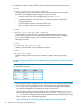
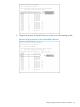
3. If necessary, use the qos dscp-map codepoint priority 0 - 7 command to configure
the DSCP policy (codepoint and associated 802.1p priority) that you want to use to mark
matching packets.
NOTE: Prerequisite: A DSCP codepoint must have a preconfigured 802.1p priority (0 - 7)
before you can use the codepoint to mark matching packets. If a codepoint you want to use
shows No-override in the Priority column of the DSCP Policy table (show qos dscp-map
command), you must first configure a priority for the codepoint before proceeding (qos
dscp-map priority command ).
Syntax:
qos dscp-map codepoint priority 0 - 7
This command is optional if a priority has already been assigned to the codepoint.
The command creates a DSCP policy by assigning an 802.1p priority to a specific
DSCP. When the switch applies this priority to a packet, the priority determines the
packet's queue in the outbound port to which it is sent. If the packet leaves the
switch on a tagged port, it carries the 802.1p priority with it to the next downstream
device. For IP packets, the DSCP codepoint in the packet header is replaced by the
codepoint specified in this command.
Default: For most codepoints, No-override. See Table 15 (page 234).
Creating a policy based on source-port classifiers 215