
Advanced Traffic Management Guide K/KA/KB.15.15

Options for assigning priority
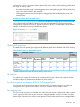
The packet-marking options for global TCP/UDP port-number classifiers include:
• 802.1p priority
• DSCP policy (Assigning a new DSCP and an associated 802.1p priority; inbound packets
can be IPv4 or IPv6.)
For a given TCP or UDP port number, you can use only one of the above options at a time. However,
for different port numbers, you can use different options.
TCP/UDP port number ranges
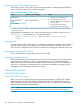
There are three ranges:
• Well-Known Ports: 0 - 1023
• Registered Ports: 1024 - 49151
• Dynamic and Private Ports: 49152 - 65535
For more information, including a listing of UDP/TCP port numbers, go to the Internet Assigned
Numbers Authority (IANA) website at:
www.iana.org
Then click on:
Protocol Number Assignment Services
P under Directory of General Assigned Numbers)
Port Numbers
Operating notes on using TCP/UDP port ranges
• Only 6 concurrent policies are possible when using unique ranges. The number of policies
allowed is less if ACLs are also using port ranges.
• No ranges allowed that include any port numbers configured as part of another QoS
application port number policy.
• An error message is generated if there are not enough hardware resources available when
configuring a policy.
• The entire range of configured port numbers must be specified when using the no form of the
command, for example:
HP Switch(config)#: qos udp-port range 1300 1399 dscp 001110
HP Switch(config)#: no qos range 1300 1399
Global QoS classifiers 247