
Advanced Traffic Management Guide K/KA/KB.15.15
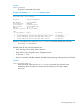
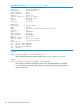
When you add the switch to the stack, the following occurs:
• The Stack Revision Number is incremented by one.
• The Commander verifies that the new switch has the same switch software as the other switches
in the stack, and downloads the software to the new switch if it does not. When downloading
new software, there will be an automatic reboot during this process.
• A stack ID is assigned, even if the switch is later disconnected from the stack.
• The member's console is automatically redirected to the Commander.
• The OOBM IP address for that member is no longer reachable.
Removing a switch from the stack
You can remove a switch from the stack to be redeployed in another part of the network. The
procedures vary depending on whether the switch is the Commander of the stack or not.
Removing a Member or the Standby
1. Establish a console session with the stack via direct console cable connection or telnet. If using
the console cable, connect it to the Standby.
2. Enter the following command to remove the switch from the stack:
HP Stack 3800(config)#: stacking member N remove
This causes the switch to lose its complete configuration and to be removed from the stack
configuration. A subsequent show stacking command issued to the stack will show that
the removed switch no longer exists in the stack.
3. Power down the removed switch.
4. Disconnect the stacking cables from the removed switch and from the other switches in the
stack.
Removing the Commander
1. Establish a console session with the stack via direct console cable connection or telnet. If using
the console cable, connect it to a switch other than the Commander
2. Enter the following command to force the Commander status over to the Standby switch:
HP Stack 3800(config)#: redundancy switchover
This results in the Standby switch taking the role of the Commander and a new Standby being
selected from the remaining member switches. The former Commander becomes a Member
of the stack.
3. To remove the former Commander from the stack:
HP Stack 3800(config)#: stacking member N remove
where N is the member number of the former Commander
4. Power down the removed switch.
5. Disconnect the stacking cables from the removed switch and from the other switches in the
stack.
Renumbering stack members
If you did not provision the stack for the switches when you first created the stack, it is possible
that members did not acquire the desired member numbers. The stack members can be renumbered.
A five-member stack is used in the following example with switches A, B, C, and D. These switches
are members 1, 2, 3, and 4, respectively. Switch B acquired member number 3 and switch C
acquired member number 2.
Configuring a stack 295