
Advanced Traffic Management Guide K/KA/KB.15.15
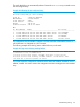
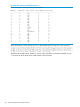

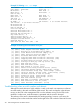
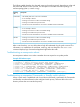
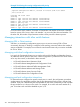

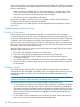

Example 210 Viewing that two ports are down due to a bad connection
HP Stack 3800#: show stacking stack-ports
Member Stacking Port State Peer Member Peer Port
------------------------------------------------------
1 1 Up 5 2
1 2 Up 2 1
1 3 Up 3 3
1 4 Up 4 3
2 1 Up 1 2
2 2 Up 3 1
2 3 Up 4 4
2 4 Up 5 3
3 1 Up 2 2
3 2 Down 0 0
3 3 Up 1 3
3 4 Up 5 4
4 1 Down 0 0
4 2 Up 5 1
4 3 Up 1 4
4 4 Up 2 3
5 1 Up 4 2
5 2 Up 1 1
5 3 Up 2 4
5 4 Up 3 4
The solution in both cases is to ensure that the cable is firmly connected at both ends. If the problem
continues, replace the cable. It is possible that there could be a problem with the stack port itself.
In this case, validation of this issue requires the installation of a known good cable to see if that
cable also fails.
The port state is not UP until both ends of the cable are connected and the cable has been validated
as a genuine HP cable.
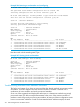
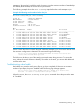
To view the statistics on the physical port, execute the show tech command in member-context
4. The following examples show the types of information displayed.
Troubleshooting stacking 315