
Advanced Traffic Management Guide K/KA/KB.15.15
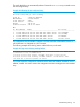

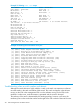


Example 214 Viewing the running configuration with priority
HP Switch(config)#: show running-config
; hpStack Configuration Editor; Created on release #:KA.15.05.0000x
; Ver #:01:00:01
hostname "HP Stack 3800"
stacking
member 1 type "J9573A" mac-address 1cc1de-4d87c0
member 2 type "J9573A" mac-address 1cc1de-4dc740
member 3 type "J9575A" mac-address 1cc1de-4dbd40
member 3 priority 200
member 4 type "J9576A" mac-address 1cc1de-4d79c0
member 4 priority 175
member 5 type "J9576A" mac-address 1cc1de-4da900exit
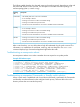
On a boot of the stack, member 3 becomes a Commander and member 4 becomes a Standby,
based on priority. If this were a chain with member 1 at one end of the chain and member 5 at
the other end, the number of hops between switches will be part of the election process.
Managing interactions with other switch features
Managing SSH or Telnet sessions
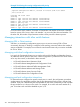
Switches in a non-stacking configuration support up to six sessions running SSH or Telnet
concurrently. However, if stacking is configured, each stacking connection reduces the number of
sessions available. For example, five connections into the stack leaves only one session available
for SSH or Telnet.
Managing switch-level configuration interactions
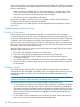
In a stack, the Commander functions as a single switch and the Standby and Members function
as additional network ports for that switch. Switch configuration is performed in the same manner
as for any other switch, as described in these manuals:
• HP Switch Software Basic Operation Guide
• HP Switch Software Management and Configuration Guide
• HP Switch Software Advanced Traffic Management Guide
• HP Switch Software Multicast and Routing Guide
• HP Switch Software Access Security Guide
• HP Switch Software IPv6 Configuration Guide
Managing port-level configuration interactions
For features that are configured on specific switch ports in a stack, the configuration procedures
are the same as for stand-alone switches, but the port designations for the ports in the stack are
modified. Each port is identified by the stack member ID of its switch, followed by a slash and then
the port number as it is shown on the switch. For example, for a switch with stack member ID 3,
port 10 on that switch would be identified as port 3/10.
318 Stack management for the 3800 switches