
Advanced Traffic Management Guide K/KA/KB.15.15
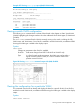
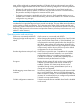
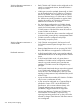
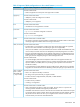

Changes to parameters when QinQ is enabled:
VLAN ID Field name changes from 802.1Q VLAN ID to VLAN ID only.
Type In a QinQ enabled environment, the VLAN type can be either a regular
customer VLAN CVLAN, or it can be a tunnel VLAN in the provider
network S-VLAN.
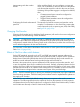
Figure 81 Viewing show vlan output with QinQ enabled
Viewing the VLAN membership of one or more ports
This command shows to which VLAN a port belongs. Once QinQ is enabled, an additional field
showing the VLAN Type is added to the display output.
Syntax:
show vlans vlan-id
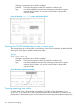
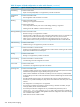
Changes to parameters when QinQ is enabled:
VLAN ID Field name changes from 802.1Q VLAN ID to VLAN ID only.
Type In a QinQ enabled environment, the VLAN type can be either a regular
customer VLAN CVLAN, or it can be a tunnel VLAN in the provider
network S-VLAN.
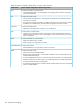
Figure 82 Viewing VLAN membership
Viewing spanning tree status
In QinQ mixed mode, only ports that are members of C-VLANs will be displayed in show
spanning tree output. This is due to the fact that ports that are members of S-VLANs do not
participate in C-VLAN spanning tree and will always be in forwarding state (treated as edge ports).
332 QinQ (Provider bridging)