
Advanced Traffic Management Guide K/KA/KB.15.15
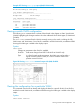
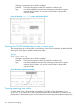
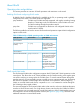
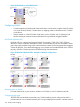
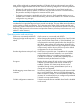
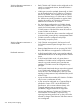
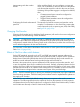
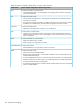

Figure 83 HP Switch in mixed-VLAN mode
Configuring VLANs
• A VLAN created on a QinQ mixed VLAN mode device can be either a regular VLAN (C-VLAN)
or a tunnel VLAN (S-VLAN). C-VLANs have no mapping/relation whatsoever to the S-VLANs
on the device.
• VLANs created on a QinQ S-VLAN mode device can be S-VLANs only. S-VLANs provide
QinQ tunneling of customer frames and behave like a port-based/s-tagged interface.
QinQ and duplicate VIDs
Duplicate VID's for c-tagged and s-tagged VLANs (for example, C-VID=100; S-VID=100) are
allowed in certain cases and disallowed in others. Customer-network ports are essentially S-VLAN
ports: they simply read the C-tags in the customer frame to insert them into the appropriate untagged
S-VLAN for that port. Once this double-tagging occurs, frames are forwarded based on the S-VLAN
tag only, while the C-VLAN tag remains shielded during data transmission.
Figure 84 QinQ and duplicate VIDs: examples of allowed configurations
Assigning ports to VLANs
In mixed VLAN mode, a port can be a member of a C-VLAN or of an S-VLAN but not both.
Configuring port types
The IEEE 802.1ad standard requires that every S-VLAN member port be configured as either a
provider-network or as a customer-network port. In a typical deployment scenario, customer-network
334 QinQ (Provider bridging)