
Advanced Traffic Management Guide K/KA/KB.15.15


match/ignore statements.
Resequencing match/ignore statements is useful when you want to insert a new match/ignore
statement between two numbered entries.
Context: Global configuration
Syntax:
class resequence [ ipv4 | ipv6 ] nameseq-number interval
resequence Resets the sequence numbers for all match/ignore statements in
the class.
name Specifies the name of the class that contains the match/ignore
statements that you want to resequence.
seq-number Specifies the sequence number of the first match/ignore statement
in the class. Default: 10.
interval Specifies the interval between sequence numbers of match/ignore
statements in the class to allow additional match/ignore statements
to be inserted. Default: 10.
To view the current sequence numbering in a particular class, enter the following
command:
show class [ ipv4 | ipv6 ] classname
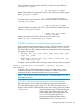
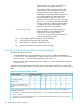
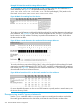
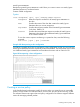
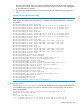
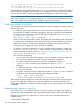
Example 220 Resequencing a class configuration
The following example shows how to resequence a class configuration so that you can insert new
match/ignore statements between sequentially numbered statements. The resequenced class contains
two additional match/ignore statements and renumbers the criteria with an interval of 10.
Figure 89 Resequencing a class configuration
Creating a service policy
In the classifier-based configuration model, the service policy you create for one or more traffic
classes is always relative to a software feature, such as QoS, port and VLAN mirroring, or PBR.
The software feature must support class and policy configuration. Each feature supports different
actions for managing selected packets.
Creating a service policy 355