
Advanced Traffic Management Guide K/KA/KB.15.15
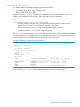
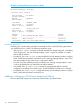
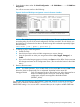
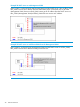
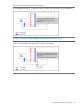

Example 32 A DHCP server and client on the Management VLAN
If Blue_VLAN is configured as the Management VLAN, the client is on Blue_VLAN, and the DHCP
server is on Blue_VLAN, the client receives an IP address.
Disabling the Management feature
You can disable the Secure Management feature without deleting the VLAN.
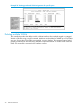
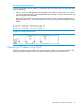
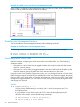
Example 33 Disabling the secure management feature
The following commands disable the Secure Management feature in the above example:
HP Switch (config)#: no management-vlan 100
HP Switch (config)#: no management-vlan my_vlan
Prioritizing voice VLAN QoS
Optional: Without configuring the switch to prioritize voice VLAN traffic, one of the following
conditions applies:
• If the ports in a voice VLAN are not tagged members, the switch forwards all traffic on that
VLAN at "normal" priority.
• If the ports in a voice VLAN are tagged members, then the switch forwards all traffic on that
VLAN at whatever priority the traffic has when received inbound on the switch.
Using the switch's QoS VLAN-ID (VID) priority option, you can change the priority of voice VLAN
traffic moving through the switch. If all port memberships on the voice VLAN are tagged, the priority
level you set for voice VLAN traffic is carried to the next device. With all ports on the voice VLAN
configured as tagged members, you can enforce a QoS priority policy moving through the switch
and through your network.
Syntax:
vlan vid qos priority 0 - 7
The qos priority default setting is 0 (normal), with 1 as the lowest priority and 7 as
the highest priority.
If you configure a voice VLAN with a VID of 10, and want the highest priority for
all traffic on this VLAN, execute the following commands:
HP Switch(config) #: vlan 10 qos priority 7
HP Switch (config) #: write memory
40 Static Virtual LANs