
Advanced Traffic Management Guide K/KA/KB.15.15




Test and verification methods to verify convergence results
Below are the test and verification methods used to verify convergence results. Three tests were
performed:
1. Break active link while downloading a file using FTP protocol.
2. Break active link during continuous ping of gateway; record convergence time.
3. Simulate Core box failure (8200); time how fast VRRP and spanning tree converge.
FTP download test
This test verifies when an active link fails during an FTP download, the network converges quickly
enough that the FTP transfer succeeds. Below outlines the test procedure followed.
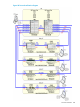
1. Setup FTP server on 8200A on port A1, on VLAN 1 with IP address 10.1.1.100.
2. Configure a port on one of the switches in IDF 1 for a VLAN (VLAN 3) on Instance 1.
3. Connect client to port with IP address 10.1.3.100 and gateway 10.1.3.1.
4. Start an FTP download on a large file (e.g. 800 Megabytes).
5. Break active link for Instance 1 immediately after initiating FTP transfer (Looks like a link failure).
For VLAN 3 on switch IDF1EAST the LAG between IDF1WEST and the 8200A was broken.
6. Log the time from when the transfer rate starts to decrease until transfer rate starts to increase.
7. Repeat on VLAN for Instance 2.
8. For Instance 2 VLAN 7 was used. The client was configured with IP 10.1.7.100 and gateway
10.1.7.1. Break active link between IDF1EAST and 8200B.
Results
The active LAG was disconnected. The transfer rate began to decrease quickly. After approximately
4 seconds the transfer rate started to increase again and the FTP transfer was successful for both
instances.
Gateway ping test
This test verifies that when an active link fails, the redundant link becomes active. Capture how
much time it takes to converge. Below outlines the test procedure followed:
1. Configure a port on one of the switches in IDF for a VLAN in Instance 1.
2. Start a continuous ping to the default gateway. For VLAN 3 the command used was Ping
10.1.3.1 –t.
3. Break active link for Instance 1. For VLAN 3 on switch IDF1EAST the LAG between IDF1WEST
and the 8200A was broken.
4. Time how many pings fail until successful again.
5. Repeat on VLAN for Instance 2.
Results
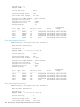
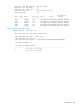
It took approximately 3 seconds for the convergence to complete for both Instances. One ping was
lost. Below is a screen capture of the test.
C:\Documents and Settings\Owner>ping 10.1.3.1 -t
Pinging 10.1.3.1 with 32 bytes of data:
Reply from 10.1.3.1: bytes=32 time=2ms TTL=255
Reply from 10.1.3.1: bytes=32 time=6ms TTL=255
Request timed out.
Reply from 10.1.3.1: bytes=32 time=988ms TTL=255
Reply from 10.1.3.1: bytes=32 time=10ms TTL=255
Reply from 10.1.3.1: bytes=32 time=10ms TTL=255
Reply from 10.1.3.1: bytes=32 time=10ms TTL=255
Ping statistics for 10.1.3.1:
Packets: Sent = 17, Received = 16, Lost = 1 (5% loss),
448 Spanning tree interoperability between HP and Cisco switches