
Advanced Traffic Management Guide K/KA/KB.15.15
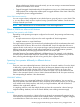
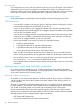
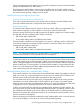
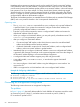


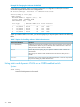

Example 51 Default settings for handling advertisements
3. Use the arrow keys to select the port you want, and the Space bar to select the Unknown
VLAN option for any ports you want to change.
4. When you finish making configuration changes, press Enter, then S (for Save) to save your
changes to the Startup-Config file.
Enabling and disabling GVRP on the switch
Syntax:
gvrp
Enables GVRP on the switch.
no gvrp
Disables GVRP on the switch.
NOTE: GVRP can be enabled only if max vlans is set to no more than 256 VLANs. While
GVRP is enabled on the switch, you cannot apply any ACLs to VLANs configured on the same
switch. A GVRP link can include intermediate devices that are not GVRP-aware. To understand
and use GVRP, you need a working knowledge of 802.1Q VLAN tagging.
GVRP assigns dynamic VLANs as Tagged VLANs. To configure the VLAN as Untagged, you must
first convert it to a static VLAN.
A VLAN enabled for jumbo traffic cannot be used to create a dynamic VLAN. A port belonging
to a statically configured, jumbo-enabled VLAN cannot join a dynamic VLAN.
Controlling how individual ports handle advertisements for new VLANs
When GVRP is enabled on the switch, use this command to change the Unknown VLAN field for
one or more ports.
Syntax:
interface port-list unknown-vlans [ learn | block | disable ]
Changes the Unknown VLAN field in order to control how one or more ports handle
advertisements. Use at either the Manager or interface context level for a port.
Enabling and disabling GVRP on the switch 69