
Advanced Traffic Management Guide K/KA/KB.15.15
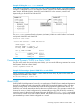
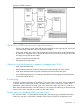
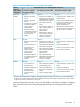
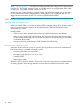
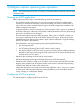
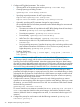

1. Configure MSTP global parameters. This involves:
• Selecting MSTP as the spanning tree mode:spanning-tree mode mstp
• Clearing spanning tree debug counters:
spanning-tree clear-debug-counters
• Specifying required parameters for MST region identity:
Region Name:spanning-tree config-name
Region Revision Number:spanning-tree config-revision
• Optionally, specifying MSTP parameter changes for region settings:
HP recommends that you leave these parameters at their default settings for most networks.
See the Caution below.
• The maximum number of hops before the MSTP BPDU (Bridge Protocol Data Unit) is
discarded: spanning-tree max-hops (default: 20)
• Force-Version operation: spanning-tree force-version
• Forward Delay: spanning-tree forward-delay
• Hello Time (if it is the root device): spanning-tree hello-time
• Maximum age to allow for STP packets before discarding: spanning-tree
maximum-age
• Device spanning tree priority. Specifies the priority value used along with the switch
MAC address to determine which device is root. The lower a priority value, the
higher the priority: spanning-tree priority
• Enabling SNMP traps:
[no] spanning-tree trap { errant-bpdu | loop-guard | new-root |
root-guard }
CAUTION: When you enable MSTP on the switch, the default MSTP spanning tree
configuration settings comply with the values recommended in the IEEE 802.1s Multiple
Spanning Tree Protocol (MSTP) standard. Note that inappropriate changes to these settings
can result in severely degraded network performance. For this reason, HP strongly recommends
that changing these default settings be reserved only for experienced network administrators
who have a strong understanding of the IEEE 802.1D/w/s standards and operation.
2. Configure per port parameters. HP recommends that you use the default settings for these
parameters and apply changes on a per-port basis only where a non-default setting is clearly
indicated by the circumstances of individual links. Other features you might consider include
BPDU Filtering or BPDU Protection—these provide additional per-port control over spanning
tree operations and security on the switch.
3. Configure MST instances. Configure one instance for each VLAN group that you want to
operate as an active topology within the region to which the switch belongs. When you create
the instance, you must include a minimum of one VID. You can add more VIDs later if desired.
Use the following command:
spanning-tree instance n vlan vid
To move a VLAN from one instance to another, first use no spanning-tree instance n
vlan vid to unmap the VLAN from the current instance, then add the VLAN to the other
instance. (While the VLAN is unmapped from an MSTI, it is associated with the region's IST
instance.)
4. Configure the priority for each instance with the following command: spanning-tree
instance n priority n
78 Multiple instance spanning tree operation