
Advanced Traffic Management Guide K/KA/KB.15.15

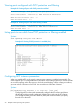

The superior BPDUs received on a port enabled as root-guard are ignored. All
other BPDUs are accepted and the external devices may belong to the spanning
tree as long as they do not claim to be the Root device.
Use this command on MSTP switch ports that are connected to devices located in
other administrative network domains to:
• Ensure the stability of the core MSTP network topology so that undesired or
damaging influences external to the network do not enter.
• Protect the configuration of the CIST root bridge that serves as the common
root for the entire network.
Default: Disabled
Denying a port propagation change information
Syntax:
spanning-tree port-list tcn-guard
When enabled for a port, this causes the port to stop propagating received topology
change notifications and topology changes to other ports.
Default: Disabled
Configuring BPDU filtering
The STP BPDU filter feature allows control of spanning tree participation on a per-port basis. It can
be used to exclude specific ports from becoming part of spanning tree operations. A port with the
BPDU filter enabled will ignore incoming BPDU packets and stay locked in the spanning tree
forwarding state. All other ports will maintain their role.
Syntax:
[no] spanning-tree [ port-list all] bpdu-filter
Enables or disables the BPDU filter feature on specified port(s). This forces a port
to always stay in the forwarding state and be excluded from standard STP operation.
Sample scenarios in which this feature may be used are:
• To have STP operations running on selected ports of the switch rather than
every port of the switch at a time.
• To prevent the spread of errant BPDU frames.
• To eliminate the need for a topology change when a port's link status changes.
For example, ports that connect to servers and workstations can be configured
to remain outside of spanning tree operations.
• To protect the network from denial of service attacks that use spoofing BPDUs
by dropping incoming BPDU frames. For this scenario, BPDU protection offers
a more secure alternative, implementing port shut down and a detection alert
when errant BPDU frames are received.
CAUTION: Ports configured with the BPDU filter mode remain active (learning
and forward frames); however, spanning tree cannot receive or transmit BPDUs on
the port. The port remains in a forwarding state, permitting all broadcast traffic.
This can create a network storm if there are any loops (that is, trunks or redundant
links) using these ports. If you suddenly have a high load, disconnect the link and
disable the bpdu-filter (using the no command).
86 Multiple instance spanning tree operation