
HP Power over Ethernet (PoE/PoE+) Planning and Implementation Guide

4-2
Planning and Implementation for the HP 2530-PoE+ Switches
Introduction
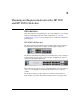
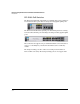
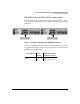
The HP 2530-24G-PoE+ Switch (J9773A) has 24 PoE+ integrated, auto-
sensing 10/100/1000Base-T RJ-45 ports with four gigabit uplink SFP ports. The
SFP ports do not support PoE/PoE+.
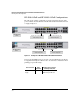
The HP 2530-48-PoE+ Switch (J9778A) has 48 PoE+ integrated, auto-
sensing 10/100Base-TX RJ-45 ports, two auto-sensing 10/100/1000Base-T RJ-
45 ports, and two gigabit uplink SFP ports. The Gig-T and SFP ports do not
support PoE/PoE+.
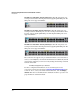
The HP 2530-48G-PoE+ Switch (J9772A) has 48 PoE+ integrated, auto-
sensing 10/100/1000Base-T RJ-45 ports with four gigabit uplink SFP ports. The
SFP ports do not support PoE/PoE+.
These switches also support some pre-standard PoE devices. For a list of these
devices, see the FAQs for your switch model. This feature is disabled by default
and you must enable it if you want to use it by issuing the following command
from the switch CLI:
HP 2530 (config)# power pre-std-detect
For more configuration information, refer to the Management and
Configuration Guide for your switch at www.hp.com/networking/support. Auto
search on “2530”, select your switch model from the list, and click Display
selected. Then click on the links that have “Manuals” in them to get to the web
page that lists the available manuals.