
IPv6 Configuration Guide K/KA/KB.15.15
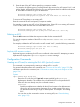

entry (permit or drop the packet) and no further comparisons of the packet are made with the
remaining ACEs in the list. This means that when an ACE whose criteria matches a packet is found,
the action configured for that ACE is invoked, and any remaining ACEs in the ACL are ignored.
Because of this sequential processing, successfully implementing an ACL depends in part on
configuring ACEs in the correct order for the overall policy you want the ACL to enforce. To see
a flow diagram of the packet-filtering process in an ACL, see Example 63 (page 110).
ACL configuration
After you enter an ACL command, you may want to inspect the resulting configuration. This is
especially true where you are entering multiple ACEs into an ACL. Also, it is helpful to understand
the configuration structure when using later sections in this chapter.
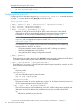
The basic ACL structure includes four elements:
1. ACL identity
This is a string of up to 64 characters specifying the ACL name.
2. Optional remark entries.
3. One or more deny/permit list entries (ACEs): One entry per line.
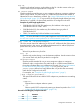
NotesElement
Alphanumeric; up to 64 characters, including spacesIdentifier
Allows up to 100 alphanumeric characters, including blank spaces. (If any spaces
are used, the remark must be enclosed in a pair of single or double quotes.)
Remark
A remark is associated with a particular ACE and has the same sequence number
as the ACE. (One remark is allowed per ACE.) See “Attaching a remark to an
ACE” (page 129).
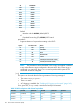
The maximum number of ACEs supported by the switch is up to 3072 for IPv6 ACEs
and up to 3072 for IPv4 ACEs. The maximum number of ACEs applied to a VLAN
Maximum ACEs per switch
or port depends on the concurrent resource usage by multiple configured features.
For more information, use the show qos|access-list resources command
and/or see “Monitoring shared resources” (page 164).
4. Implicit deny
Where an ACL is applied to an interface, it denies any packets that do not have a match with
any of the ACEs explicitly configured in the list. The implicit deny does not appear in ACL
configuration listings, but always functions when the switch uses an ACL to filter packets. (You
cannot delete the implicit deny, but you can supersede it with a permit ipv6 any any
ACE.)
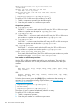
ACL Configuration Structure
Individual ACEs in an IPv6 ACL include:
• Optional remark statements
• A permit/deny statement
• Source and destination IPv6 addressing
• Choice of IPv6 criteria
• Optional ACL log command (for deny or permit entries)
General structure options for an IPv6 ACL
ipv6 access-list identifier
[ seq-# ]
Configuring and assigning an IPv6 ACL 111