
IPv6 Configuration Guide K/KA/KB.15.15
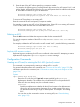
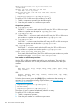
2. Enter the text of the ACE without specifying a sequence number.
For example, the following pair of commands enter the context of an ACL named "List-1" and
add a "permit" ACE to the end of the list. This new ACE permits the IPv6 traffic from the device
at 2001:db8:0:a9:8d:100 to go to all destinations.
HP Switch(config)# ipv6 access-list List-1
HP Switch(config-ipv6-acl)# permit host 2001:db8:0:a9::8d:100 any
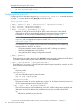
To insert an ACE anywhere in an existing ACL:
Enter the context of the ACL and specify a sequence number.
For example, to insert a new ACE as line 15 between lines 10 and 20 in an existing ACL named
"List-2" to deny traffic from the device at 2001:db8:0:a9::8d:77:
HP Switch(config)# ipv6 access-list List-2
HP Switch(config-ipv6-acl)# deny host 2001:db8:0:a9::8d:77 any
Deleting an ACE
Enter the ACL context and delete the sequence number for the unwanted ACE.
(To view the sequence numbers of the ACEs in a list, use show access-list acl-name-str
config.)
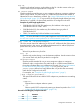
For example, to delete the ACE at line 40 in an ACL named "List-2", enter the following commands:
HP Switch(config)# ipv6 access-list List-2 config
HP Switch(config-ipv6-acl)# no 40
Duplicate ACE sequence numbers
Duplicate sequence numbering for ACEs are not allowed in the same ACL. Attempting to enter a
duplicate ACE displays the Duplicate sequence number message.
Configuration Commands
Creating an ACL and/or entering the IPv6 ACL (ipv6-acl) context
This command is a prerequisite for entering or editing ACEs in an ACL.
For general information about ACL commands, see “Overview of IPv6 ACLs” (page 153). For
information specific to this command, see “Commands to create, enter, and configure an ACL”
(page 154).
Syntax:
ipv6 access-list ascii-str
Places the CLI in the IPv6 ACL (ipv6-acl) context specified by the ascii-str
alphanumeric identifier. This enables entry of individual ACEs in the specified ACL.
If the ACL does not already exist, this command creates it.
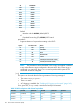
ascii-str
Specifies an alphanumeric identifier for the ACL and consists of an alphanumeric
string of up to 64 case-sensitive characters. If you include spaces in the string,
you must enclose the string in single or double quotes. For example: "Accounting
ACL".
You can also use this command to access an existing ACL; see “General editing
rules” (page 155).
Configuration Commands 115