
IPv6 Configuration Guide K/KA/KB.15.15
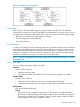
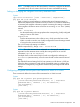
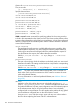

Figure 14 Example of a routing domain
Advantages
Static routing is relatively reliable and gives you tight control over traffic flow. You determine
exactly which connections to use to forward traffic to each destination. In a given VLAN, you can
use multiple IPv6 addresses to add multiple static routes in the VLAN. Other advantages include:
• Efficiency in a small network with few paths to manage
• Ease of configuration and maintenance
• Lower CPU utilization
Disadvantages
In a large or expanding network, configuring static routes for all the necessary routes can become
increasingly complicated and time-consuming. Ensuring that all routes remain accurate can also
add to the administrative burden. Each time you add a connection or change a route, you must
configure the change on every routing device in the network. Also, routers do not automatically
respond to a failed static connection, so traffic can be lost or misrouted.
NOTE: Network management and monitoring applications such as HP PCM/PCM+ can detect
failed static routes.
Static route types
You can configure these types of static IPv6 routes:
Standard
The static route consists of
• Destination network prefix
• Link-local IPv6 address and VLAN ID of the (next-hop router) gateway IPv6 address
Interface-based
The static route consists of:
• Destination network address or host and a corresponding network prefix
• VLAN interface through which you want the routing switch to send traffic for the route
Null (discard)
Null routes include the following:
Default
When IPv6 routing is enabled, a route for the ::1/128 network is created and traffic to
this network is rejected (dropped). The loopback address (lo0) is entered as the gateway.
This route is for all traffic to the "loopback" network, with the single exception of traffic to
the host address of the switch's loopback interface.
About static routing 183