
IPv6 Configuration Guide K/KA/KB.15.15
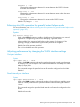
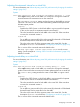

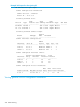

Use show ipv6 ospf3 virtual-link ip-address to view the current setting. See the
example at “Viewing OSPFv3 virtual link information” (page 243).
Default: 1 second
Example 144 Adjusting transit-delay on a virtual link
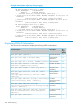
To change the hello-interval on the virtual link configured for the network in Figure 21 (page 223)
to 60 seconds:
• On routing switch “A” (router ID 10.0.0.1) you would use the following command to reconfigure
the current hello-interval to 60 seconds:
HP Switch(ospf3)# area 1 virtual-link 209.157.22.1
hellointerval 60
• On routing switch “C” (router ID 209.157.22.1) you would use the following command to
reconfigure the current hello-interval to 60 seconds
HP Switch(ospf3)# area 1 virtual-link 10.0.0.1 hello-interval
60
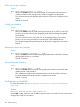
Configuring OSPFv3 passive
For more information, see “OSPFv3 passive” (page 261).
Syntax:
[no] ipv6 ospf3 passive
VLAN context command for enabling or disabling passive OSPFv3 operation on
the VLAN.
The no option returns the VLAN interface to active OSPFv3 operation.
Default: OSPFv3 active
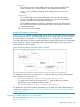
Example 145 Configuring OSPFv3 passive
To configure an OSPFv3 interface as passive, enter this command in the VLAN context:
HP Switch(vlan-1)# ipv6 ospf3 passive
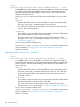
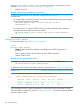
To display the OSPFv3 passive information, enter the command shown in Example 146 (page 226):
Example 146 show ipv6 ospf3 interface command with passive configured on an interface
HP Switch(config)# show ipv6 ospf3 interface
OSPFv3 configuration and statistics for interfaces
Interface Status Area ID State Cost Pri Passive
---------- -------- --------- ------- ----- ----- -------
vlan-55 Enabled 0.0.0.1 BDR 1 1 No
vlan-75 Enabled 0.0.0.3 BDR 1 1 Yes
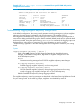
You can display the OSPFv3 passive information for a particular VLAN: suppose that a routing
switch has OSPFv3 configured on VLAN 75. Example 147 (page 227) shows an example of detailed
output for VLAN 75 alone.
226 OSPFv3 Routing