
IPv6 Configuration Guide K/KA/KB.15.15

ipv6-addr
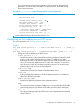
If this is a link-local address, use this IPv6 address format:
fe80::device-id %vlan vid
For example:
fe80::123%vlan10
If this is a global unicast address, use this IPv6 format:
ipv6-addr
For example:
2001:db8::123
oobm
For switches that have a separate OOBM port, specifies that the transfer will
be through the OOBM interface. (Default is transfer through the data interface.)
Using auto-TFTP for IPv6
At switch startup, the auto-TFTP for IPv6 feature automatically downloads a software image to the
switch from a specified TFTP server and then reboots the switch. To implement the process, the
switch must first reboot using one of the following methods:
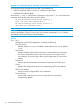
• Enter the boot system flash primary command in the CLI.
• With the default flash boot image set to primary flash (the default), enter the boot or the
reload command, or cycle the power to the switch. (To reset the boot image to primary flash,
use boot set-default flash primary.)
Syntax:
auto-tftp ipv6-addr filename
Configures the switch to automatically download the specified software file from
the TFTP server at the specified IPv6 address. The file is downloaded into primary
flash memory at switch startup. The switch then automatically reboots from primary
flash.
NOTE: To enable auto-TFTP to copy a software image to primary flash memory, the version
number of the downloaded software file (for example, K_14_01.swi) must be different from the
version number currently in the primary flash image.
The current TFTP client status (enabled or disabled) does not affect auto-TFTP operation. See
“Enabling TFTP for IPv6” (page 45). Completion of the auto-TFTP process may require several
minutes while the switch executes the TFTP transfer to primary flash and then reboots again.
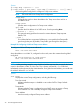
The no form of the command disables auto-TFTP operation by deleting the auto-tftp entry from
the startup configuration.
The no auto-tftp command does not affect the current TFTP-enabled configuration on the switch.
However, entering the ip ssh filetransfer command automatically disables both auto-tftp
and tftp operation.
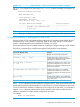
SNMP Configuration Commands Supported
For more information on each SNMP configuration procedure, see the "Configuring for Network
Management Applications" chapter in the current Management and Configuration Guide for your
switch.
48 IPv6 Management Features