
Multicast and Routing Guide K/KA/KB.15.15
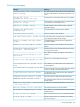
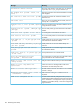
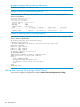
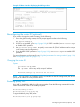
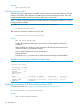

Per-router global configuration context
Use these steps to enable routing and PIM operation in the global configuration context of each
PIM-SM router (HP(config)#_):
1. Enable routing. (Use ip routing.)
2. Enable multicast routing. (Use ip multicast-routing.)
3. Enable PIM. (Use router pim.)
4. Configure the routing method(s) needed to reach the interfaces (VLANs) on which you want
multicast traffic available for multicast receivers in your network:
• Enable RIP or OSPF. (Use routerrip|ospf )
• If desired, configure static routes to the destination subnets. (Use ip route
dest-ip-address/mask-bits next-hop-ip-addr.)
Per-VLAN PIM-SM configuration
These steps configure PIM-SM in the VLAN interface context for each VLAN configured on the
router (HP Switch(vlan-vid)#_).
1. Enable IGMP. (Use ip igmp.) Repeat this action on every router (and switch) having
membership in the VLAN.
2. For both the global and VLAN levels on the routers where there are connected multicast
receivers that may issue joins or send multicast traffic, use the same routing method as Step
4 of this procedure.
3. Enable PIM-SM on the VLAN interfaces where you want to allow routed multicast traffic.
(Default: disabled)
a. If these VLANs do not already have static IP addresses, then statically configure one or
more IP addresses on each VLAN you want to support PIM-SM operation. (PIM-SM cannot
be enabled on a VLAN that does not have a statically configured IP address. That is,
PIM-SM cannot use an IP address acquired by DHCP/Bootp.)
b. Use ip pim-sparse to enter the VLAN's pim-sparse context and do one of the
following:
• Enable PIM-SM on the VLAN and allow the default option (any) to dynamically
determine the source IP address for the PIM-SM packets sent from this VLAN interface.
• Enable PIM-SM on the VLAN and allow the default option (any) to dynamically
determine the source IP address for the PIM-SM packets sent from this VLAN interface.
• Enable PIM-SM on the VLAN and specify an IP address for the PIM-SM packets sent
from this VLAN interface. (The specified IP address must already be statically
configured on the VLAN.)
NOTE: This step requires enabling Router PIM on the global configuration context.
See “Configuring global context commands” (page 66).
c. Option: Change the current DR priority, in the PIM Sparse context, to a value for the
current router in the current VLAN by using Command dr-priority [0-4294967295].
(DR Priority default = 1)
NOTE: When you initially enable PIM-SM, HP recommends that you leave the PIM-SM traffic
control settings at their default settings. You can then assess performance and make
configuration changes when needed.
102 PIM-SM (Sparse Mode)