
Multicast and Routing Guide K/KA/KB.15.15
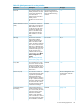

DHCP Relay Allows you to extend the service range of your DHCP server
beyond its single local network segment
License requirements:
In the 3500, 3500yl, 5400zl, 6600, and 8200zl switches, OSPF is included with the Premium
License. In the 6200yl switches, this feature is included with the base feature set.
Throughout this chapter, the switches are referred to as "routing switches." When IP routing is
enabled on your switch, it behaves just like any other IP router.
Basic IP routing configuration consists of adding IP addresses, enabling IP routing, and enabling
a route exchange protocol, such as RIP.
To configure the IP addresses, see the Management and Configuration Guide for your switch.
IP interfaces
On the routing switches, IP addresses are associated with individual VLANs. By default, there is
a single VLAN (Default_VLAN) on the routing switch. In that configuration, a single IP address
serves as the management access address for the entire device. If routing is enabled on the routing
switch, the IP address on the single VLAN also acts as the routing interface.
Each IP address on a routing switch must be in a different subnet. You can have only one VLAN
interface in a given subnet. For example, you can configure IP addresses 192.168.1.1/24 and
192.168.2.1/24 on the same routing switch, but you cannot configure 192.168.1.1/24 and
192.168.1.2/24 on the same routing switch.
You can configure multiple IP addresses on the same VLAN.
The number of IP addresses you can configure on an individual VLAN interface is 32.
You can use any of the IP addresses you configure on the routing switch for Telnet, Web
management, or SNMP access, as well as for routing.
NOTE: All HP devices support configuration and display of IP address in classical subnet format
(example: 192.168.1.1 255.255.255.0) and Classless Interdomain Routing (CIDR) format (example:
192.168.1.1/24). You can use either format when configuring IP address information. IP addresses
are displayed in classical subnet format only.
IP tables and caches
ARP cache table
The ARP cache contains entries that map IP addresses to MAC addresses. Generally, the entries
are for devices that are directly attached to the routing switch.
An exception is an ARP entry for an interface-based static route that goes to a destination that is
one or more router hops away. For this type of entry, the MAC address is either the destination
device's MAC address or the MAC address of the router interface that answered an ARP request
on behalf of the device, using proxy ARP.
ARP cache
The ARP cache contains dynamic (learned) entries. The software places a dynamic entry in the
ARP cache when the routing switch learns a device's MAC address from an ARP request or ARP
reply from the device.
The software can learn an entry when the switch or routing switch receives an ARP request from
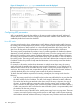
another IP forwarding device or an ARP reply. Here is an example of a dynamic entry:
112 Routing Basics