
Multicast and Routing Guide K/KA/KB.15.15
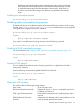
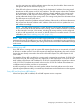

Example 61 ARP cache dynamic entry
IP Address MAC Address Type Port
1 207.95.6.102 0800.5afc.ea21 Dynamic 6
Each entry contains the destination device's IP address and MAC address.
To configure other ARP parameters, see “Configuring ARP parameters” (page 118).
IP route table
The IP route table contains routing paths to IP destinations.
NOTE: The default gateway, which you specify when you configure the basic IP information on
the switch, is used only when routing is not enabled on the switch.
Routing paths
The IP route table can receive the routing paths from the following sources:
• Directly-connected destination, which means there are no router hops to the destination
• Static route, which is a user-configured route
• Route learned through RIP
• Route learned through OSPF
Administrative distance
The IP route table contains the best path to a destination. When the software receives paths from
more than one of the sources listed above, the software compares the administrative distance of
each path and selects the path with the lowest administrative distance. The administrative distance
is a protocol-independent value from 1 to 255.
The IP route table is displayed by entering the show ip route command from any context level
in the console CLI. Here is an example of an entry in the IP route table:
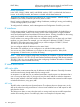
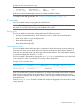
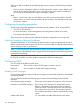
Example 62 IP route table entry
Destination Gateway VLAN Type Sub-Type Metric Di
----------------- --------------- ---- --------- ---------- -------- --
10.10.10.1/32 10.10.12.1 connected 1
Each IP route table entry contains the destination's IP address and subnet mask and the IP address
of the next-hop router interface to the destination. Each entry also indicates route type, and for
OSPF routes, the subtype, and the route's IP metric (cost). The type indicates how the IP route table
received the route.
Enter the show ip route summary command to display the aggregate count of routes for each
routing protocol.
IP tables and caches 113