
Multicast and Routing Guide K/KA/KB.15.15
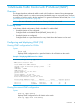
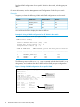
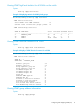
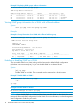
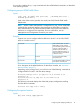

This command disables or re-enables the ability for the switch to become querier
if necessary.
The no version of the command disables the querier function on the switch. The
show ip igmp config command displays the current querier command.
Default querier capability: Enabled
Configuring the querier interval
To specify the number of seconds between membership queries, enter this command with the
desired interval.
Syntax:
[no] ip igmp querier interval [5-300]
NOTE: This command must be issued in a VLAN context.
Specifies the number of seconds between membership queries. The no form of the
command sets the interval to the default of 125 seconds.
Default: 125 seconds
For example, to set the querier interval to 300 seconds on ports in VLAN 8:
HP Switch(vlan-8)# ip igmp querier interval 300
Configuring static multicast groups
Use this command to configure a group on the switch so that multicast traffic for that group can
be forwarded with a receiver host. Traffic will be flooded for this group.
Syntax:
[no] ip igmp static-group group-address
NOTE: This command must be issued in a VLAN context.
Creates the IGMP static group with the specified group address on the selected
VLAN. The no form of the command deletes the static group on the selected VLAN.
Configuring fast-leave IGMP
For information, see “Automatic fast-leave IGMP” (page 27).
Syntax:
[no] ip igmp fastleave port-list
Enables IGMP fast-leaves on the specified ports in the selected VLAN.
The no form of the command disables IGMP fast-leave on the specified ports in the
selected VLAN.
Use show running to display the ports per-VLAN on which fast-leave is disabled.
Default: Enabled
Configuring forced fast-leave IGMP
For information about forced fast-leave, see “Forced fast-leave IGMP” (page 29).
Syntax:
[no] vlan vid ip igmp forcedfastleave port-list
20 Multimedia Traffic Control with IP Multicast (IGMP)