
Multicast and Routing Guide K/KA/KB.15.15
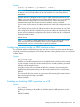

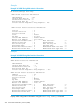

Example 137 Configuring the Authentication Data Field
HP Switch(vlan-2-vrid-1)# null-auth-compatibility
Pinging the virtual IP of a backup router
Enabling the response to a ping request
The backup router can be enabled to respond to pings using the following command. For more
information, see “Pinging the virtual IP of a backup router” (page 285).
Syntax:
[no] router vrrp virtual-ip-ping
Enables or disables the response to a ping request for the switch. When enabled,
all VRs that are not owners and are not explicitly disabled (see virtual-ip-ping
enabled command) respond to ping requests sent to the VIP when the backup VR
is acting as master.
Default: Response to virtual IP ping is disabled.
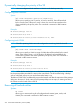
Example 138 Enabling the response to ping requests
HP-Router1# config
HP-Router1(config)# ip routing
HP-Router1(config)# router vrrp
HP-Router1(config)# router vrrp virtual-ip-ping
Controlling ping responses
Syntax:
[no] virtual-ip-ping enabled
Enables or disables the response to a ping request to a specific VR. The command
applies to all VIPs on the VR.
Must be executed in VRRP context (vlan vid vrrp vrid vrid)
NOTE: The VR should be configured as a backup.
Default: Enabled
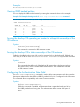
Example 139 Disabling a response to ping requests to a VIP
HP Switch-Router1(config)# ip routing
HP Switch-Router1(config)# router vrrp
HP Switch-Router1(config)# router vrrp virtual-ip-ping
HP Switch-Router1(config)# vlan 2 vrrp vrid 1
HP Switch-Router1(vlan-2-vrid-1)# virtual-ip-address 10.0.202.87
HP Switch-Router1(vlan-2-vrid-1)# no virtual-ip-ping enable
HP Switch-Router1(vlan-2-vrid-1)# enable
HP Switch-Router1(vlan-2-vrid-1)# exit
HP Switch-Router1(vlan-2)# exit
HP Switch-Router1(config)#
Viewing VRRP ping information
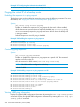
Display IPv4 global VRRP configuration information by entering the show vrrp config global
command. Display IPv6 global VRRP configuration information by entering the show vrrp ipv6
config global command.
258 Virtual Router Redundancy Protocol (VRRP)