
Multicast and Routing Guide K/KA/KB.15.15
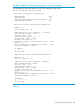
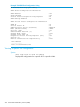
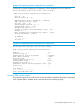
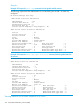

Example 149 VRRP IPv4 configuration listing with two owner VRs configured
This example lists output indicating two owner VRs configured on the router.
HP Switch(config)# show vrrp config
VRRP Global Configuration Information
VRRP Enabled : Yes
Traps Enabled : Yes
Virtual Routers Respond To Ping Requests : Yes
VRRP Nonstop Enabled : No
VRRP Virtual Router Configuration Information
VLAN ID : 2
Virtual Router ID : 10
Administrative Status [Disabled] : Disabled
Mode [Uninitialized] : Owner
Priority [100] : 255
Advertisement Interval [1] : 1
Preempt Mode [True] : True
Preempt Delay Time [0] : 0
Respond To Virtual IP Ping Requests [Yes] : Yes
Version [2] : 2
Null authentication compatibility [False] : False
Primary IP Address : Lowest
IP Address
---------------
10.10.10.100
VRRP Virtual Router Configuration Information
VLAN ID : 20
Virtual Router ID : 20
Administrative Status [Disabled] : Enabled
Mode [Uninitialized] : Owner
Priority [100] : 255
Advertisement Interval [1] : 1
Preempt Mode [True] : True
Preempt Delay Time [0] : 0
Respond To Virtual IP Ping Requests [Yes] : Yes
Version [2] : 2
Null authentication compatibility [False] : False
Primary IP Address : Lowest
IP Address
---------------
10.10.20.100
Example
Viewing VRRP configuration data 265