
Multicast and Routing Guide K/KA/KB.15.15
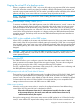
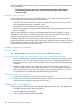
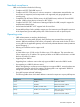
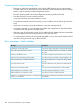
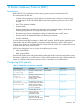
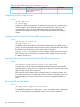

Table 31 Global BGP configuration commands (continued)
CLI referenceDefaultDescriptionCommand syntax
Border Gateway Protocol
(BGP) process.
Configuring a BGP routing process
Syntax:
router bgp as-#
no router bgp
Configures a BGP routing process. To remove the routing process, use theno form
of the command. This command is used in the configuration context only. This
command allows you to set up a distributed routing core that automatically
guarantees the loop-free exchange of routing information between autonomous
systems.
Configuring a fixed router ID for local BGP routing process
Syntax:
bgp router-id router-id
no bgp router id
Configures a fixed router ID for the local Border Gateway Protocol (BGP) routing
process. To remove the fixed router ID from the running configuration file and restore
the default router ID selection, use the noform of this command.
The bgp router-id command is used to configure a fixed router ID for a local
BGP routing process. The router ID is entered in the IP address format. Any valid
IP address can be used.
Specifying the networks to be advertised by the BGP routing process
Syntax:
[no] network ipv4/mask [route-map route-map-name]
To specify the networks to be advertised by the Border Gateway Protocol (BGP)
routing processes, use the network command. To remove an entry from the routing
table, use the no form of this command.
BGP networks can be learned from connected routes, from dynamic routing, and
from static route sources. The maximum number of network commands you can use
is determined by the resources of the router, such as the configured NVRAM or
RAM.
Adjusting BGP network timers
Syntax:
[no] bgp timers keep-alive hold-time
To adjust BGP network timers, use the bgp timers command in router configuration
mode. To reset the BGP timing defaults, use the no form of this command.
290 Border Gateway Protocol (BGP)